I switched from Apple to Samsung phones in 2019. I forget which iPhone model I was coming from, but it was probably only a generation old. I’d grown frustrated with their walled garden, especially around iTunes media that I’d “purchased.” I was also pissed about their deliberate crippling of the battery “for my own good,” a phenomenon I’d suspected from the last couple of upgrades, but was confirmed that year.
There was one other thing that made me mad, and I’m not ashamed to say that this was probably the straw that broke the camel’s back: Upgrading to the next iPhone (the 7 series) meant giving up my beloved headphone jack, and I wasn’t having any of that.
That first Samsung was a Galaxy S10+. It was great. Rugged, great battery, exceptional camera, and a headphone jack. I’ve never looked back. I wish I could have convinced the rest of my family to switch too, but they’re all lemmings. (It was the very next generation where Samsung also ditched the headphone jack – what a betrayal.)
Anyway, the reason we’re here…
Recently, I upgraded from my Galaxy S24+ to the new S26 Ultra.
Pro tip: If you’re going to upgrade, regardless of ecosystem, do it at the new phone’s launch – there will never be better deals and promotions available. I got $1100 for my S24+ trade-in through T-Mobile, so the phone essentially cost me $200.
Overall, solid upgrade. OneUI continues to get better. The phone is blazingly fast. But…
Samsung, we need to talk about your camera setup. This isn’t about the pictures it takes, which are terrific, as usual. It isn’t about the different lenses or the levels of magnification.
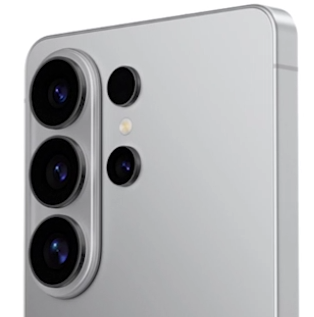
This is about the camera lens orientation / location, and the fact that the raised camera “bump” is in the way for a lot of very practical and useful Magsafe accessories, which represent a significant sunk cost for many of us.
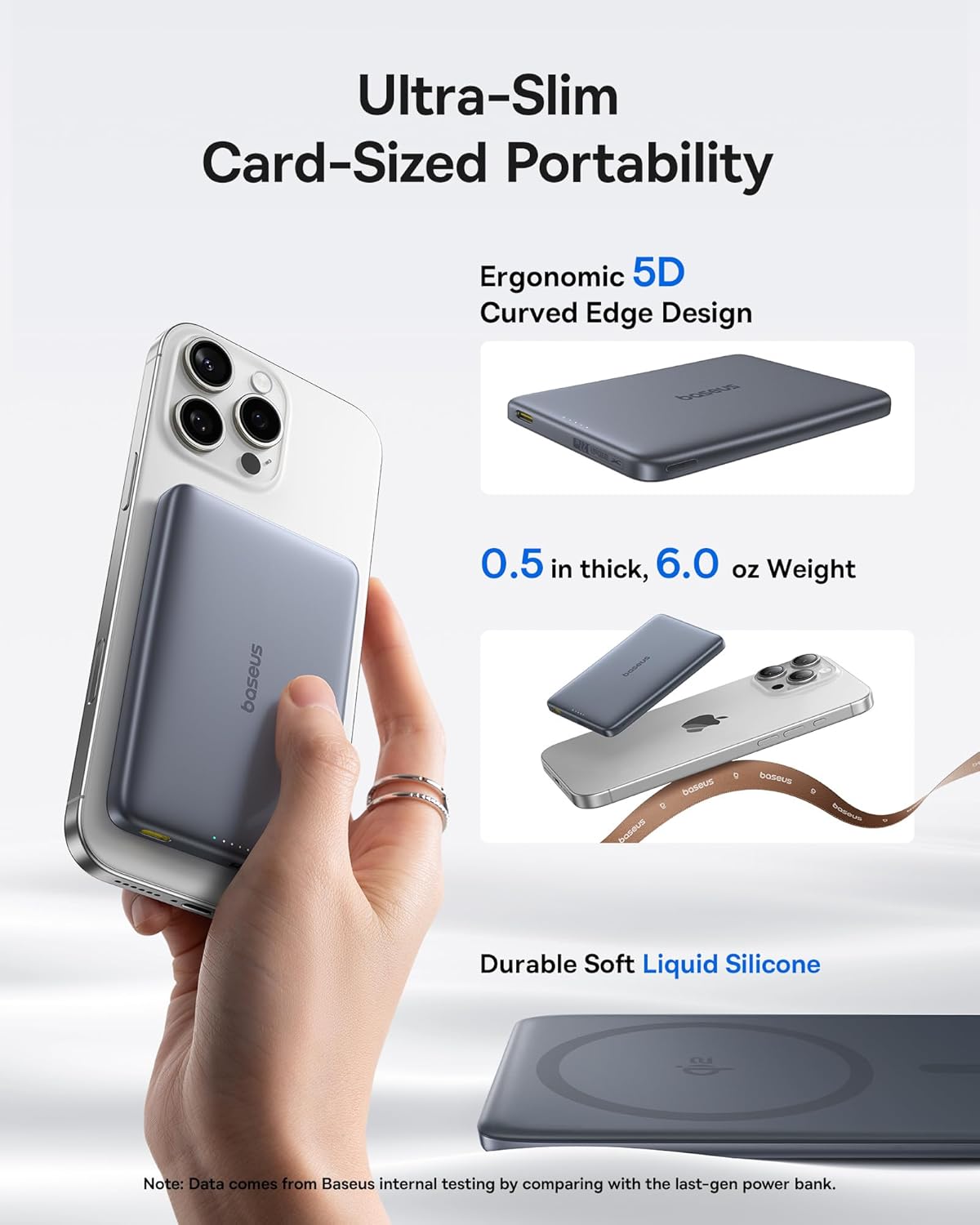
Have you ever used a Magsafe Qi charger with your phone? I have. I have a bunch of them, my favorite being the excellent Baseus 10000mAh Picogo Qi2 Magsafe Portable Charger. It’s the smallest 10000mAh battery I’ve found, and has an excellent non-marring surface treatment on the magnet side.
I have pretty much standardized on these. I carry them, my wife carries them, my kids carry them – my friends carry them based on my recommendation. We’re all happy with it.
In the picture, you’ll notice that it’s attached to an iPhone. Would you like to know why their product photos don’t include a Samsung Galaxy Ultra?
I can tell you why. It’s because the phone bump extends so far down the phone’s body that it interferes with the battery placement. The top left corner of my battery (as viewed from the rear) is propped up from the surface of the phone. There’s visible daylight.
To get the battery to make firm contact, I have to pivot it 5-10° counter clockwise so that the corner of the battery clears the camera bump. Then it’ll sit flush to the case, but the bottom right corner of the battery now sticks out a little past the edge of the phone – so if it’s in my pocket, a bump or wrong movement could cause it to dislodge, even though the magnet is plenty strong under normal circumstances.
Alternatively, I can live with the small airgap, but again, that weakens the magnetic hold. It’ll stay put for the most part, but it’s far easier to dislodge than when the battery is making firm contact. It now becomes something I need to be conscious of, instead of just working correctly every single time.
Samsung’s tone deaf answer to this problem – and they know it’s a problem, otherwise this product wouldn’t exist – is to toss your old Magsafe batteries apparently, and buy theirs. Look at this ridiculousness:
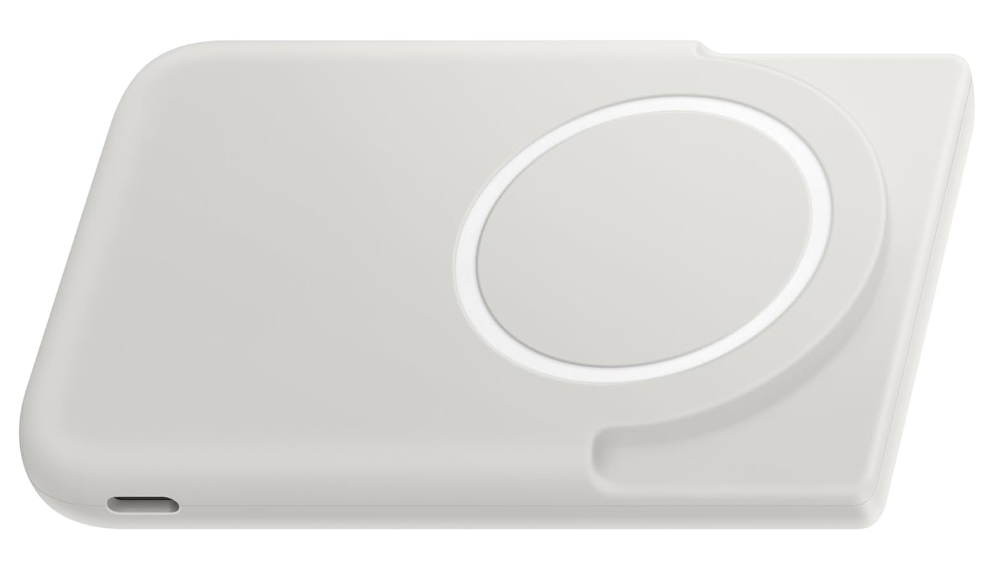
That’s the Samsung Galaxy Magnetic Wireless 5,000mAh Battery Pack, which is basically half the power, and 80% more expensive, than my preferred battery.
Some will say “but Samsung doesn’t formally support Magsafe – that’s an Apple standard.” Just stop. They support Qi charging, and have for a long time. They know magnetic chargers, and other accessories, exist – they make the one pictured above.
I was also giving a Magsafe wallet a try, but that experiment is now DOA.
Why are they being so obtuse? The obvious answer is to rotate the camera array 90°, and align them with the top of the phone. Easy peasy. It’s not rocket science. The Google Pixel does this right, as do a bunch of other phone manufacturers out there in the world.
I get the reason for the bump. The hardware demands it given the capabilities included. But the location? Arbitrary, and changeable.
The problem doesn’t exist in the S26+ model. The cameras on that model aren’t quite as capable, and the bump, while still present, isn’t as pronounced. The addition of a Magsafe capable case makes it sit flush.
Coming from the S24+, I wasn’t even aware this was a thing. I am now. It’s just something I’ll have to live with, but this will absolutely affect my decision-making on future phone upgrades, and if that means switching to another Android phone manufacturer, well…
You’ve got two years, more or less, to figure this out Samsung. Don’t let me down.


Leave a comment